Skip to content
Navritto
Scanleaf app icon

Mobile app · Android

Scanleaf

A document scanner that keeps your scans on your phone.

Android
Coming soon to Google Play
  • Scan to PDF
  • Text search: EN & HI
  • No account, no limits
  • Android 7+

Screenshots

Real screens from the app

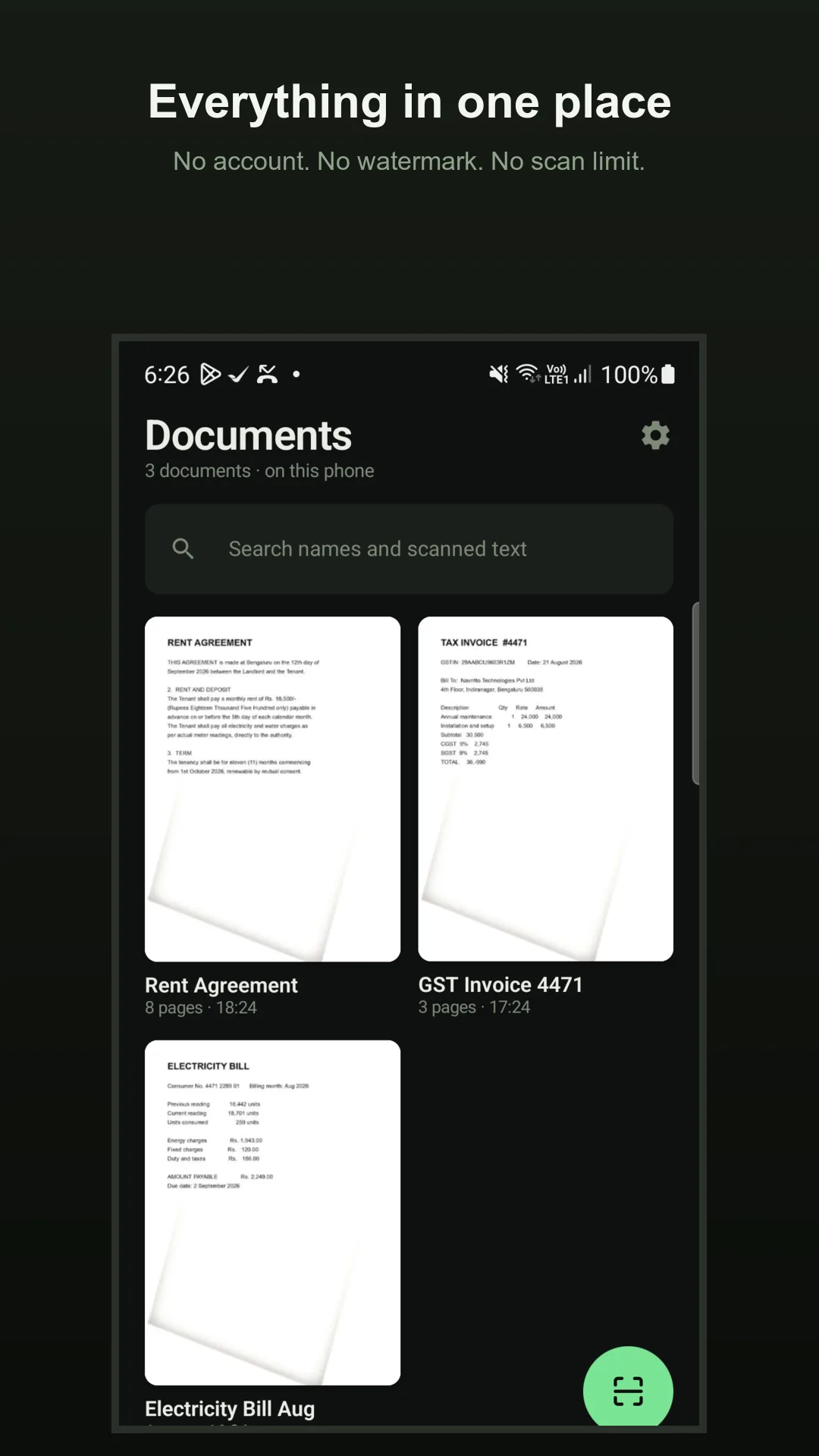
  • The library — every scan on your device, with full-text search
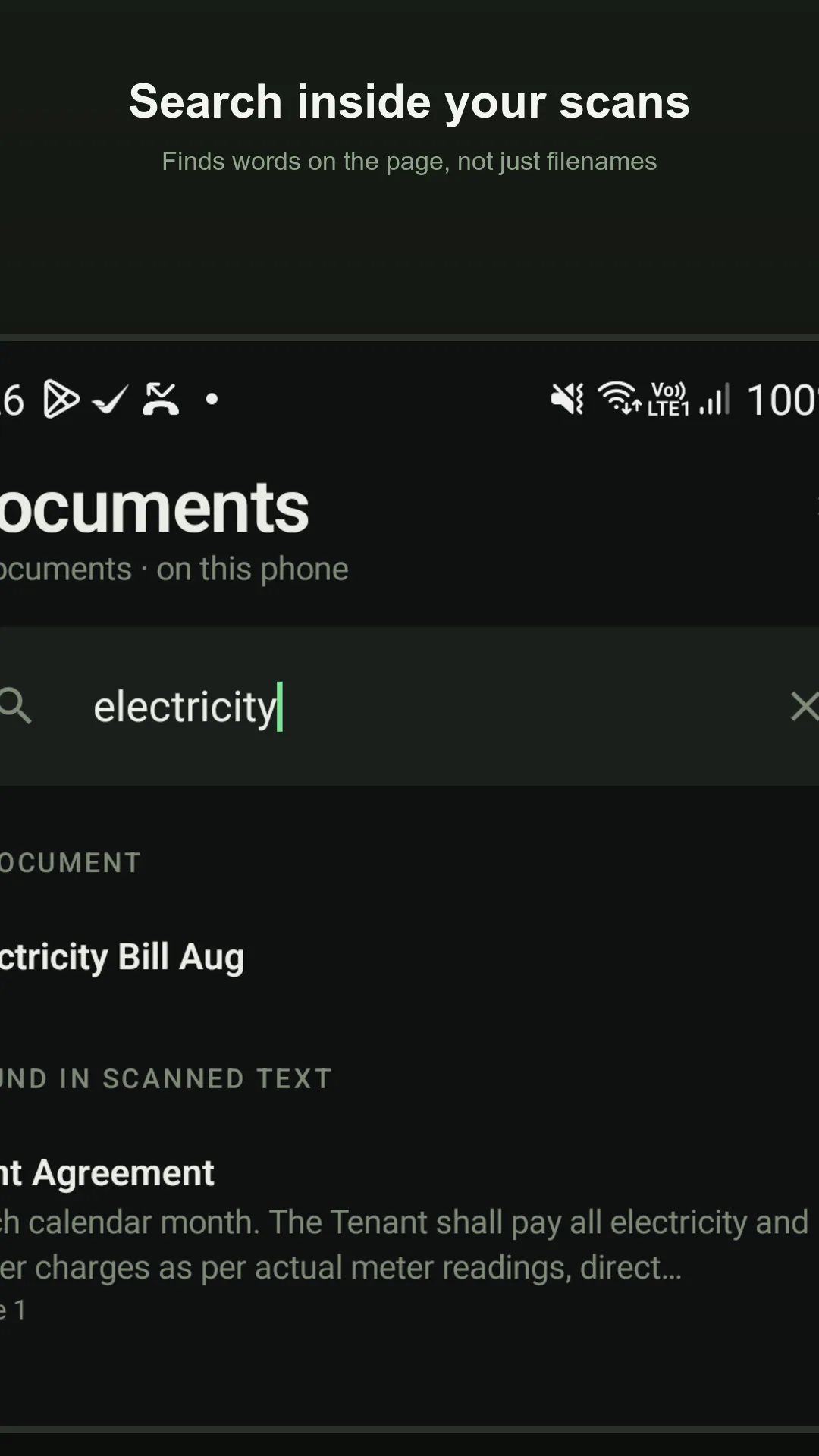
  • Search finds words inside your scans, not just filenames
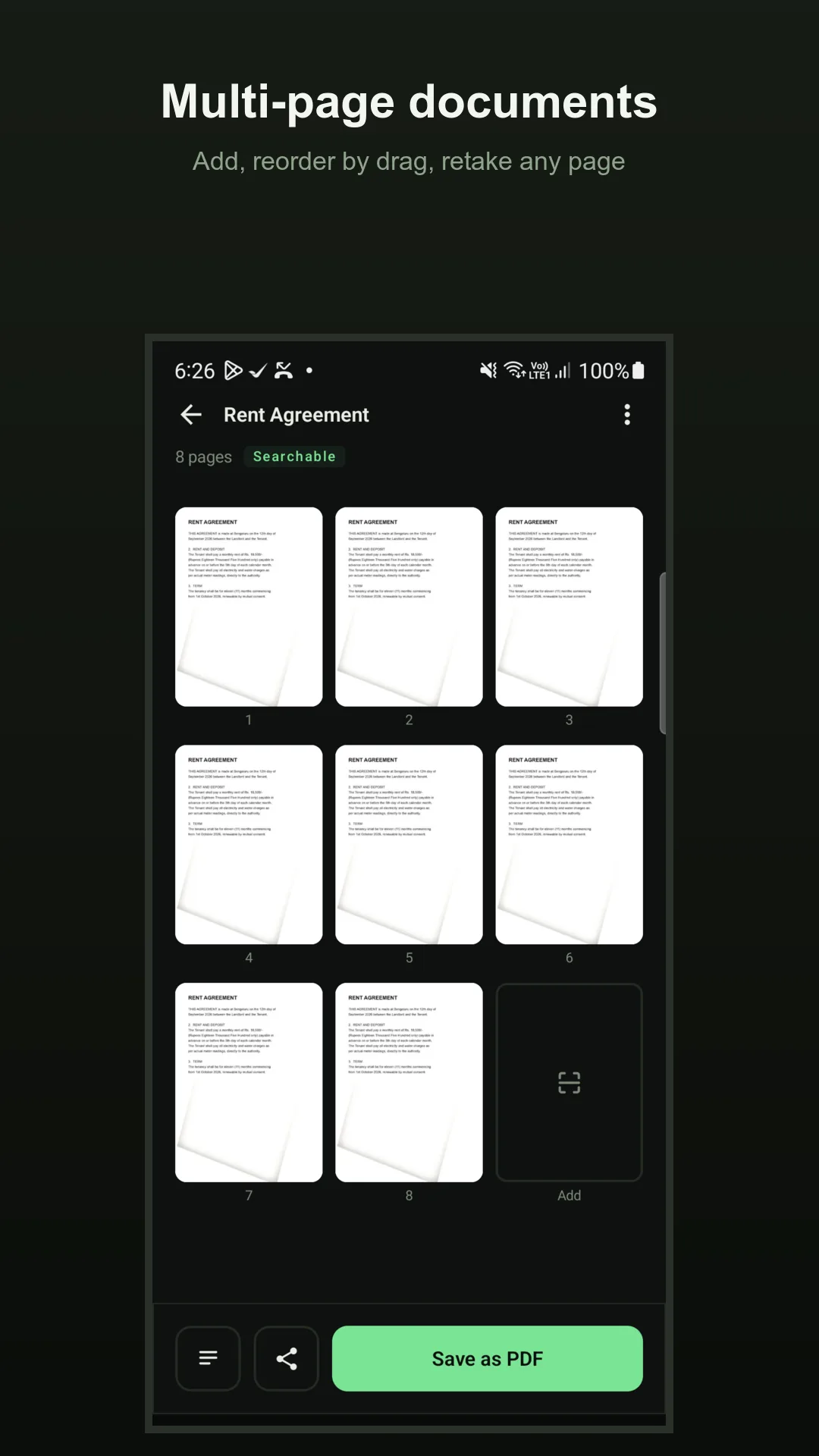
  • Multi-page documents — add, reorder by dragging, retake or delete a page
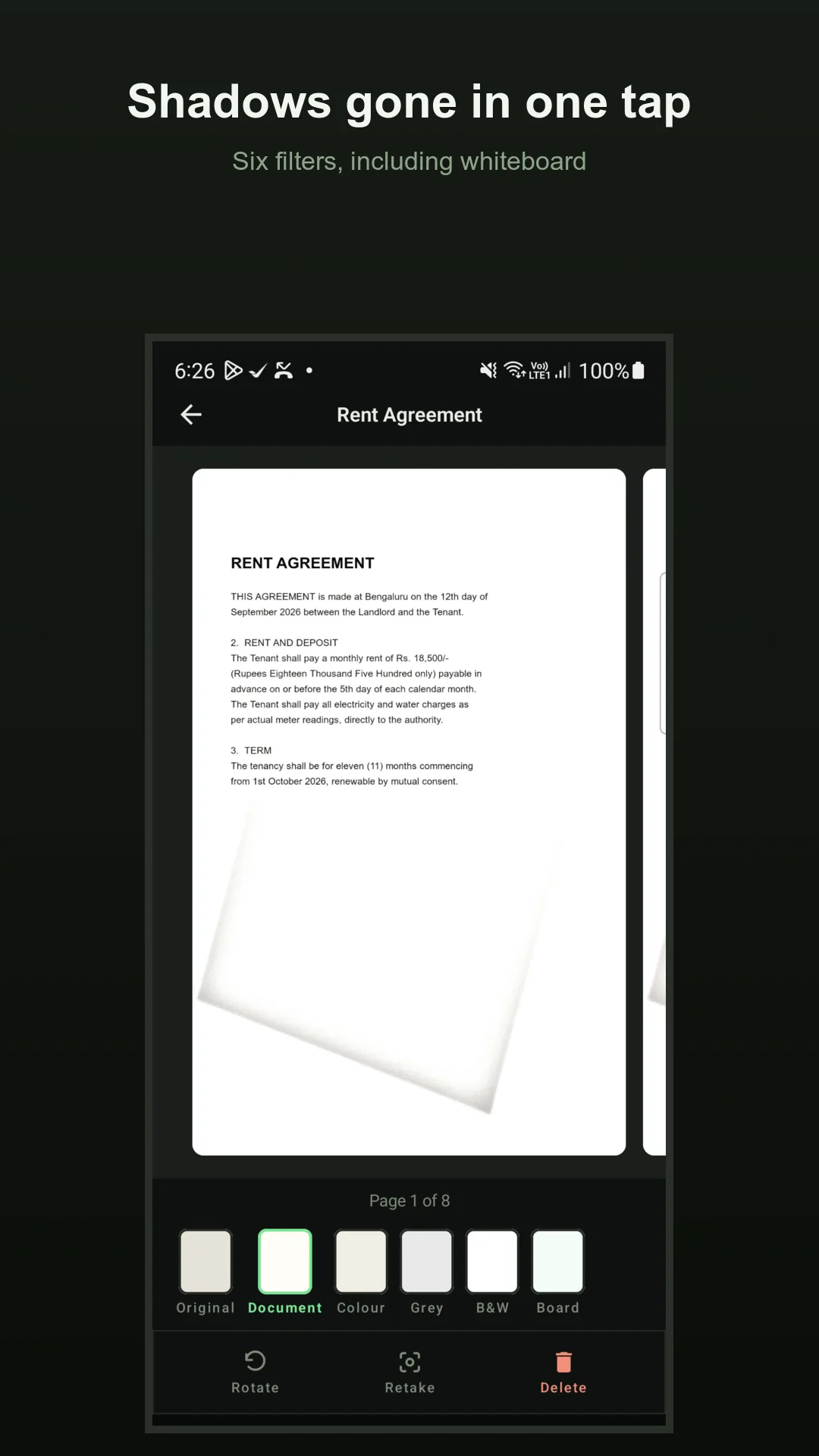
  • Six filters — Original, Document, Colour, Grey, B&W and Whiteboard
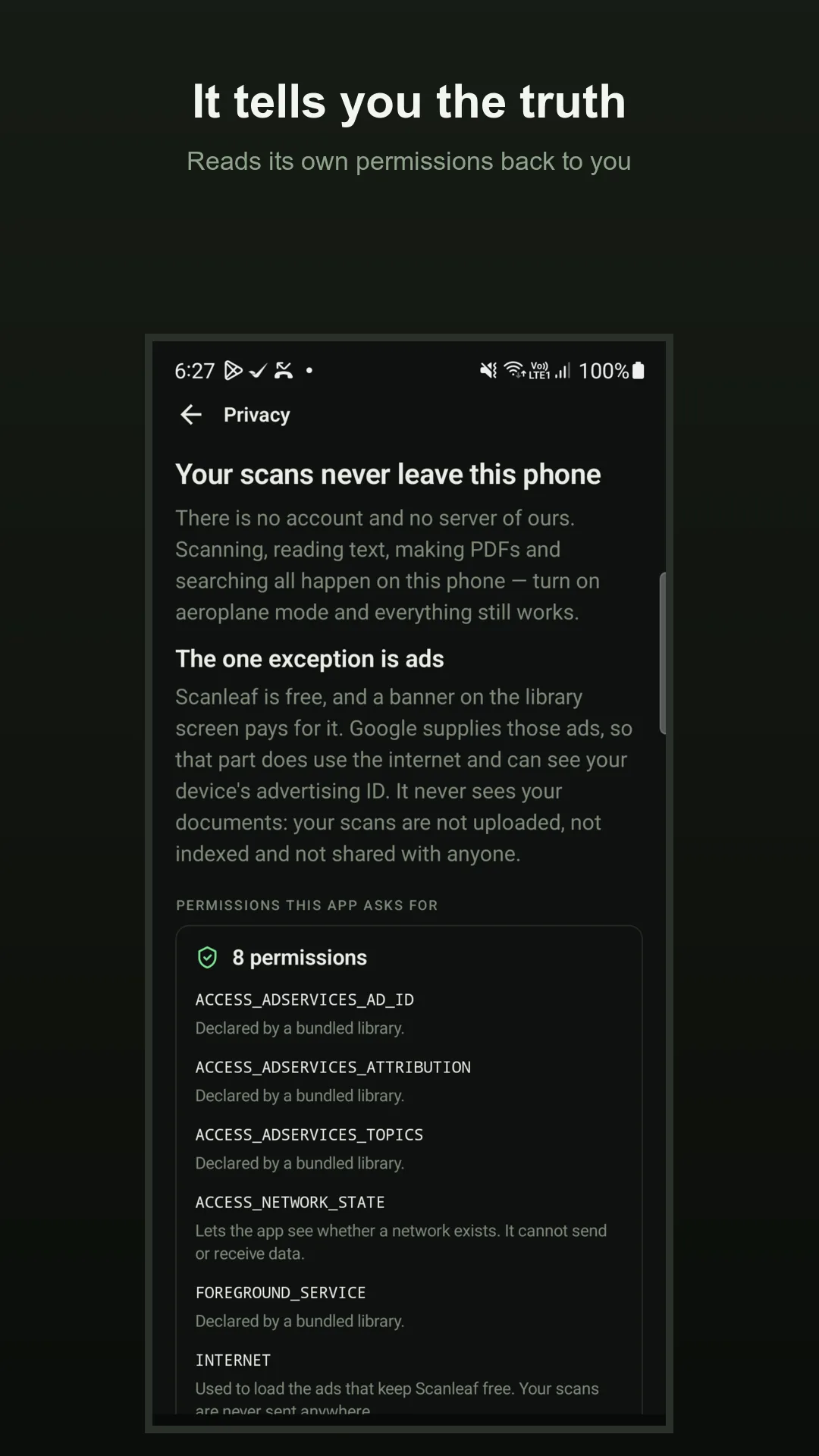
  • What leaves this phone — the app reads its own permission list back to you

Your workflow

Point, scan, done.

  1. Point and capture

    Aim at the page. Scanleaf finds the edges, captures automatically, straightens the page and clears the shadow your hand casts. Add as many pages as the document needs.

  2. Tidy it up

    Pick one of six filters, drag to reorder pages or retake one, and let Scanleaf read the text so the whole document becomes searchable — in English and Hindi.

  3. Keep it or share it

    Save as a PDF or as JPGs to wherever you choose through your phone's own file picker, or share straight to any app. Everything stays on your device.

What's inside

  • 01

    Scan to a clean, straightened PDF

    Point at a page and Scanleaf detects the edges, captures automatically, straightens the page and removes the shadow your own hand casts. Build a multi-page document and export it as a PDF or as JPG images — all on your phone, with nothing to sign up for.

  • 02

    Reads the text — search and copy it, in English and Hindi

    Scanleaf reads the words on your pages, so you can search for text inside a scan rather than only by filename, and copy the text straight out. It recognises English and Hindi; exported PDFs stay searchable for Latin scripts, and Hindi text is readable and copyable inside the app.

  • 03

    Six filters, multi-page, reorder and retake

    Six looks — Original, Document, Colour, Grey, B&W and Whiteboard — and full multi-page control: add pages, drag to reorder them, retake or delete any one, and import photos you have already taken to turn them into a PDF.

  • 04

    Your scans stay on your phone

    Capture, text recognition, PDF building and search all happen on your device. Your documents are never uploaded to us or anyone else — there is no account and no server — and the app keeps working in aeroplane mode. Exported files carry no device name, no location and no other identifying metadata.

  • 05

    No account, no watermark, no scan limits

    No sign-up, no trial that expires, no watermark stamped across your documents, and no cap on how many pages you scan. The full app is what you install.

  • 06

    Free — funded by one small banner ad

    A single banner on the library screen, supplied by Google AdMob, pays for the app. There are no full-screen ads and none while you scan, edit or save; the ad never sees your documents; and where the law requires it you are asked about ad personalisation first and can change or withdraw that choice in Settings.

Why another scanner?

Microsoft retired Microsoft Lens in early 2026 and switched its scanning off, and the replacement it pointed people to saves only to cloud storage and needs an account. Scanleaf is for everyone who just wanted a free scanner that put a clean file on their phone: it captures, straightens, reads the text and builds the PDF entirely on the device, keeps your scans off any server, and asks for none of the camera, files or location permissions a scanner is usually assumed to need. A single small banner on the library screen keeps it free.

Who it's for

Anyone who needs to scan a document, receipt, note or form to a PDF on their phone — and wants the file to stay on the device, with no account and no cloud.

Frequently asked questions

How do I scan a document to PDF?
Point Scanleaf at the page. It finds the edges, captures automatically, straightens the page and clears the shadow your own hand casts, then saves a clean PDF. Add more pages, drag to reorder or retake any of them, and export the finished document as a PDF or as JPG images. Everything is built on your phone.
Do my scans stay private, or are they uploaded?
They stay on your phone. Scanning, text recognition, PDF building and search all run on your device; your documents are never uploaded to us or anyone else, and there is no account and no server. The app works offline — turn on aeroplane mode and everything still works except the banner ad.
Can I search the text inside my scans?
Yes. Scanleaf reads the words on your pages, so search finds text inside a scan rather than just matching filenames, and you can copy the text out. It recognises English and Hindi; exported PDFs stay searchable for Latin scripts, and Hindi text is readable and copyable inside the app.
Does Scanleaf show ads?
Yes — one banner on the library screen, supplied by Google AdMob, which is what keeps the app free. There are no full-screen ads and none while you scan, edit or save, and the ad never sees your documents or the text in them. In the EEA, UK and other regions that require it, you are asked about ad personalisation before any ad is shown and can change or withdraw that choice in Settings.
Does Scanleaf need my camera or files permission?
No. Scanleaf holds no permission to your camera, files, photos, location, contacts or microphone — you can check that in your phone's settings. The scanner runs inside Google Play services and uses that app's camera, and when you export, your phone's own file picker grants access to just the one file you choose.
Is there a watermark, a scan limit or a sign-up?
No watermark is stamped on your documents, there is no cap on how many pages you scan, and there is no account or trial to create. Scanleaf is free to use.
What happens to my scans if I uninstall the app?
Scans live in the app's private storage, so uninstalling removes them. Use Settings → Export all documents to keep a copy wherever you choose first. Exported PDFs carry no device name, no location and no other identifying metadata.
Scanleaf is not on Google Play yet. It is in preparation for release; this page and its privacy policy are published ahead of the listing.

Coming soon to Google Play